Setting up the serial connection
For the serial connection, we will need the following:- A TTL serial connection between COM-1 and the Burro robot.
- A Burro robot with the Burro API enabled.
Plug in Isolator and Converter
Setup Plug in the isolator and USB-to-Serial converter into the USB port on
the side of the robot.
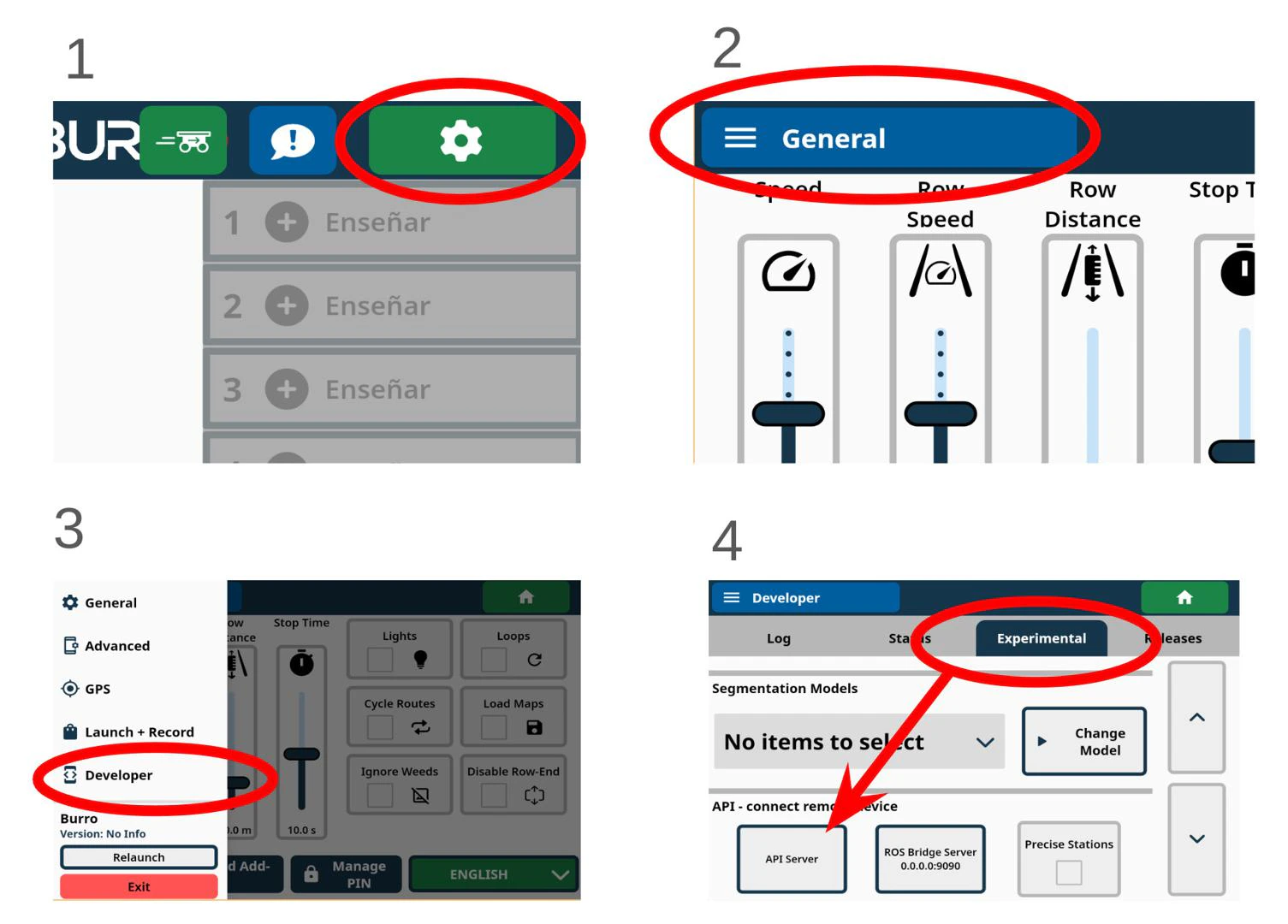
Activate Serial API
Activate the Serial API once it has been enabled using the images below for reference.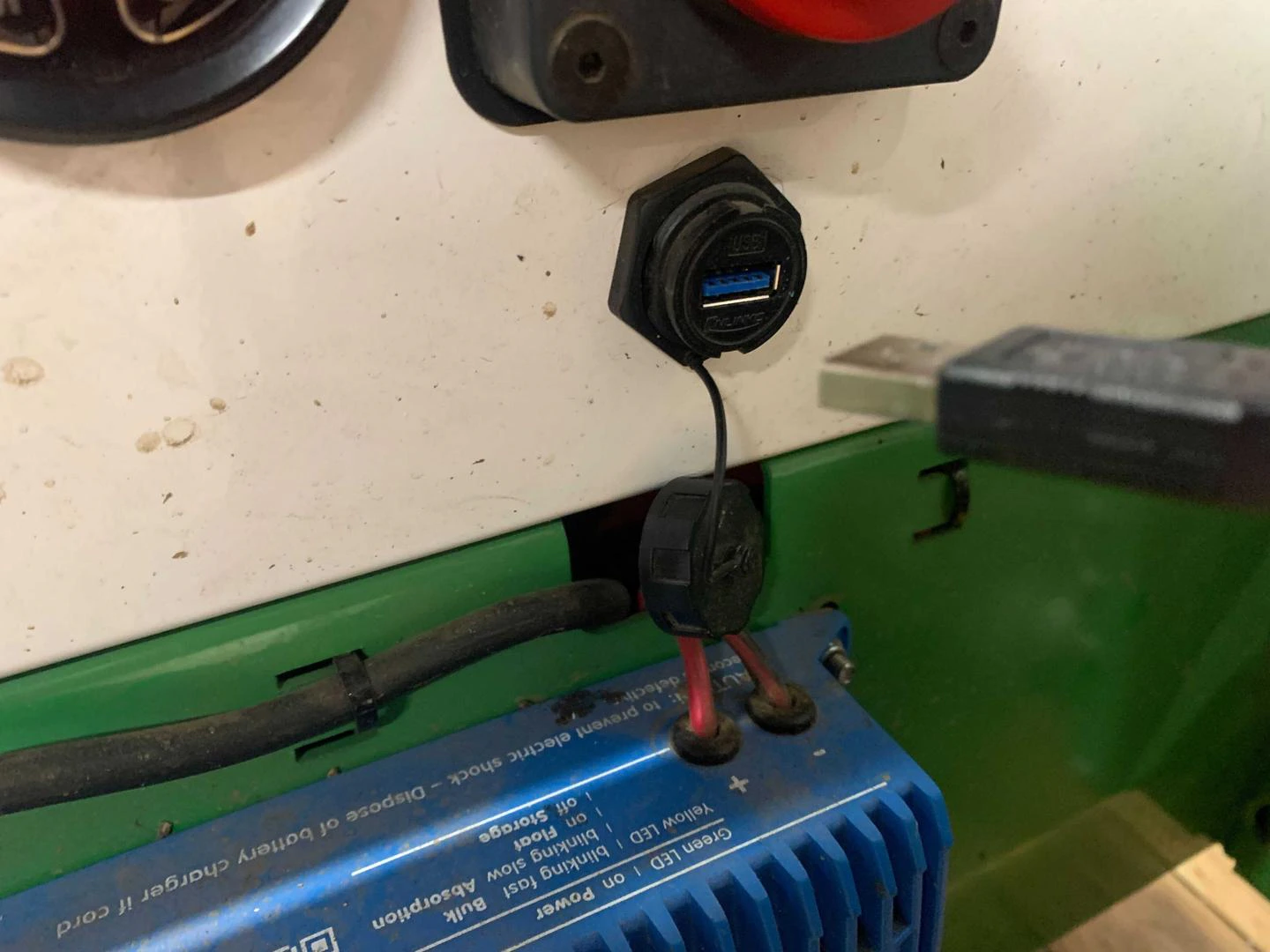
Run Example Script
Run one of the example scripts, such as the
serial_api_client and enter the command:
?SYSP_Configuration
| Parameter | Value |
|---|---|
| baudrate | 115200 |