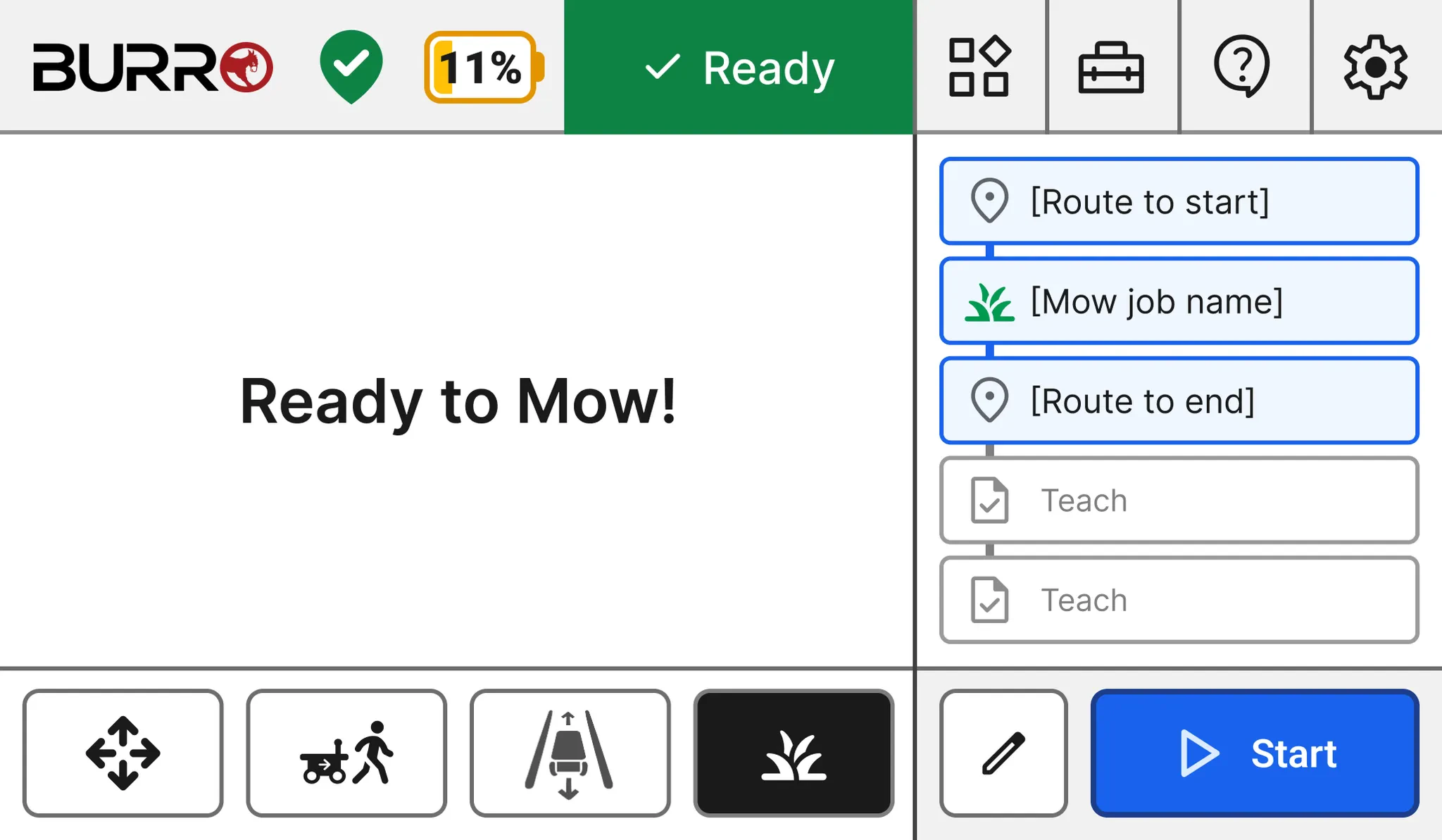
Navigate to BOSS Web
Navigate to BOSS Web.
Select Polygon or Rectangle Tool
Under the routes tab, select either the Polygon or Rectangle tool to start
drawing the perimeter of your mowing area. 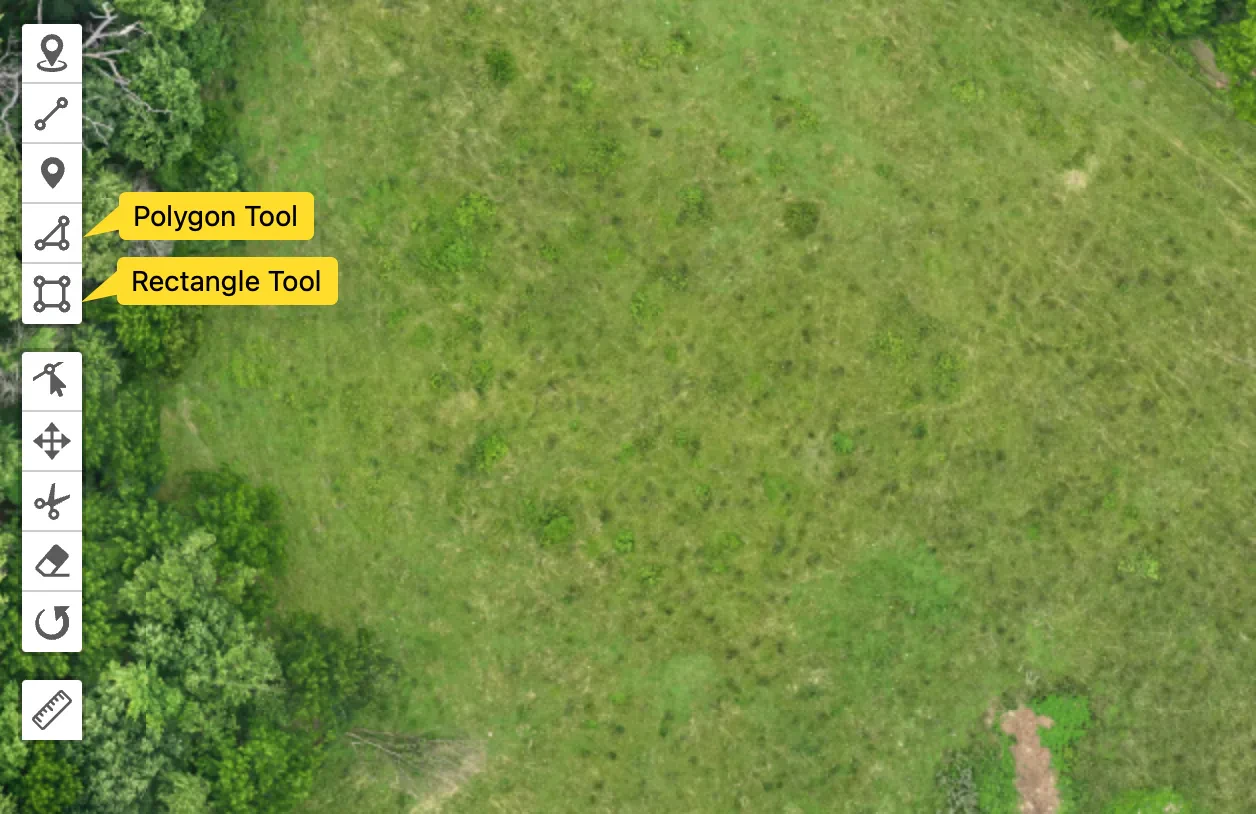
Name Perimeter
Add a unique name to the drawn perimeter so you can easily remember it and
find it later. 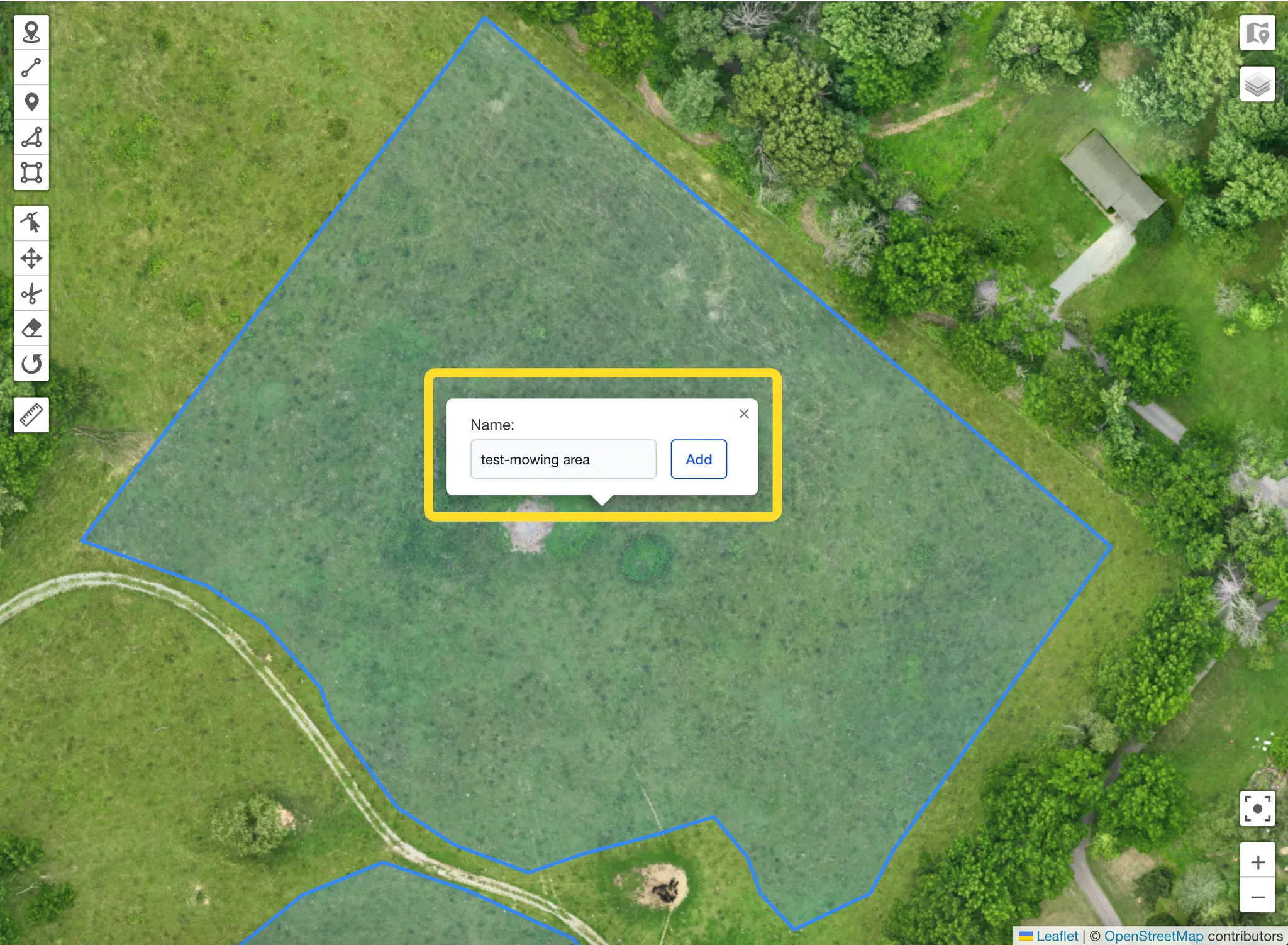
Mark Exclusion Zones
Optionally, mark exclusion zones by drawing a similar boundary around them.
This tells the mower where it’s not allowed to go. Avoid drawing too close to
a large structure with no room for error. You can always clean those up with a
remote. 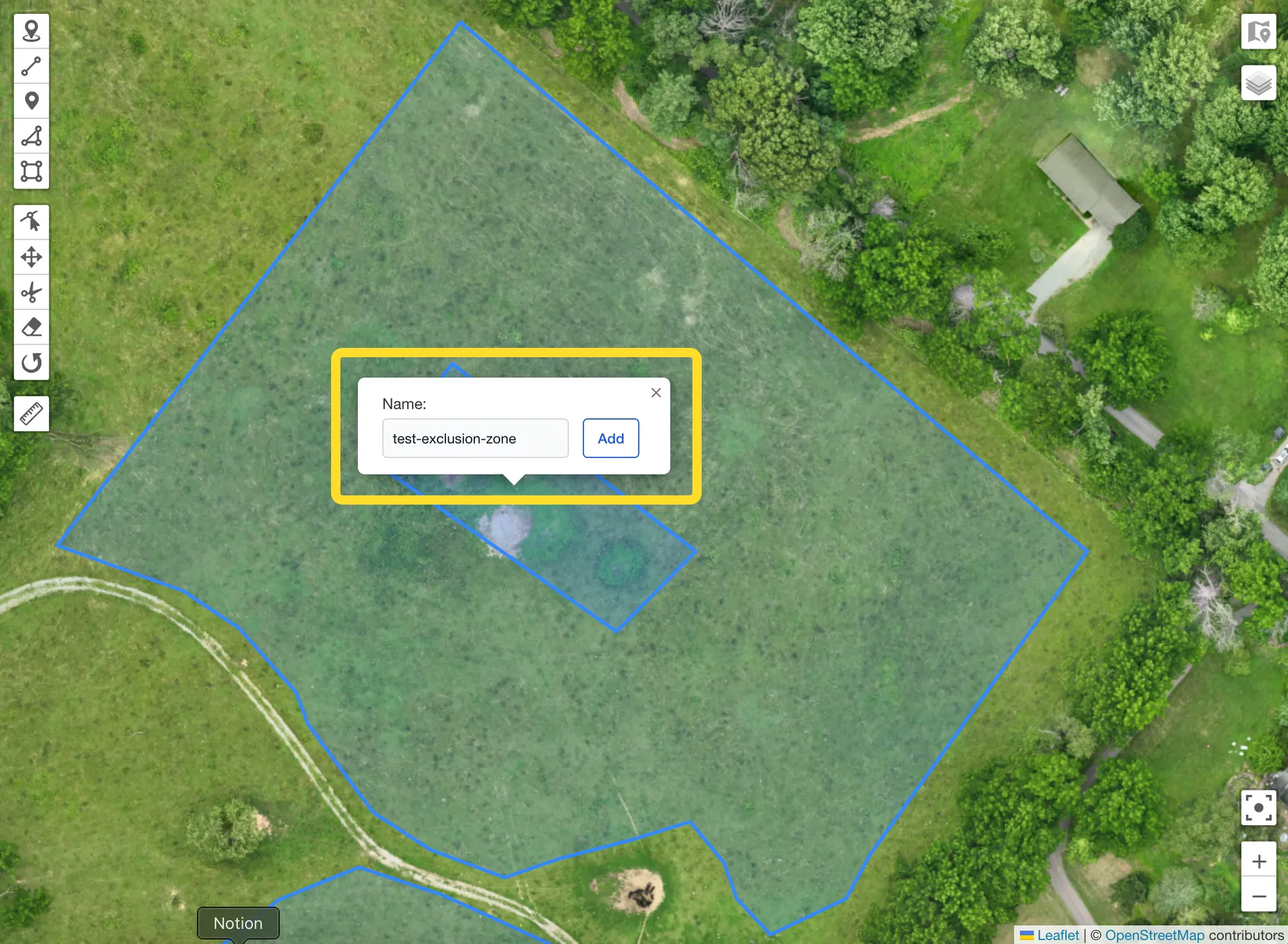
Select Perimeter and Exclusion Zones
Switch to the mowing tab and select the outer perimeter and exclusion zones
that you just drew. 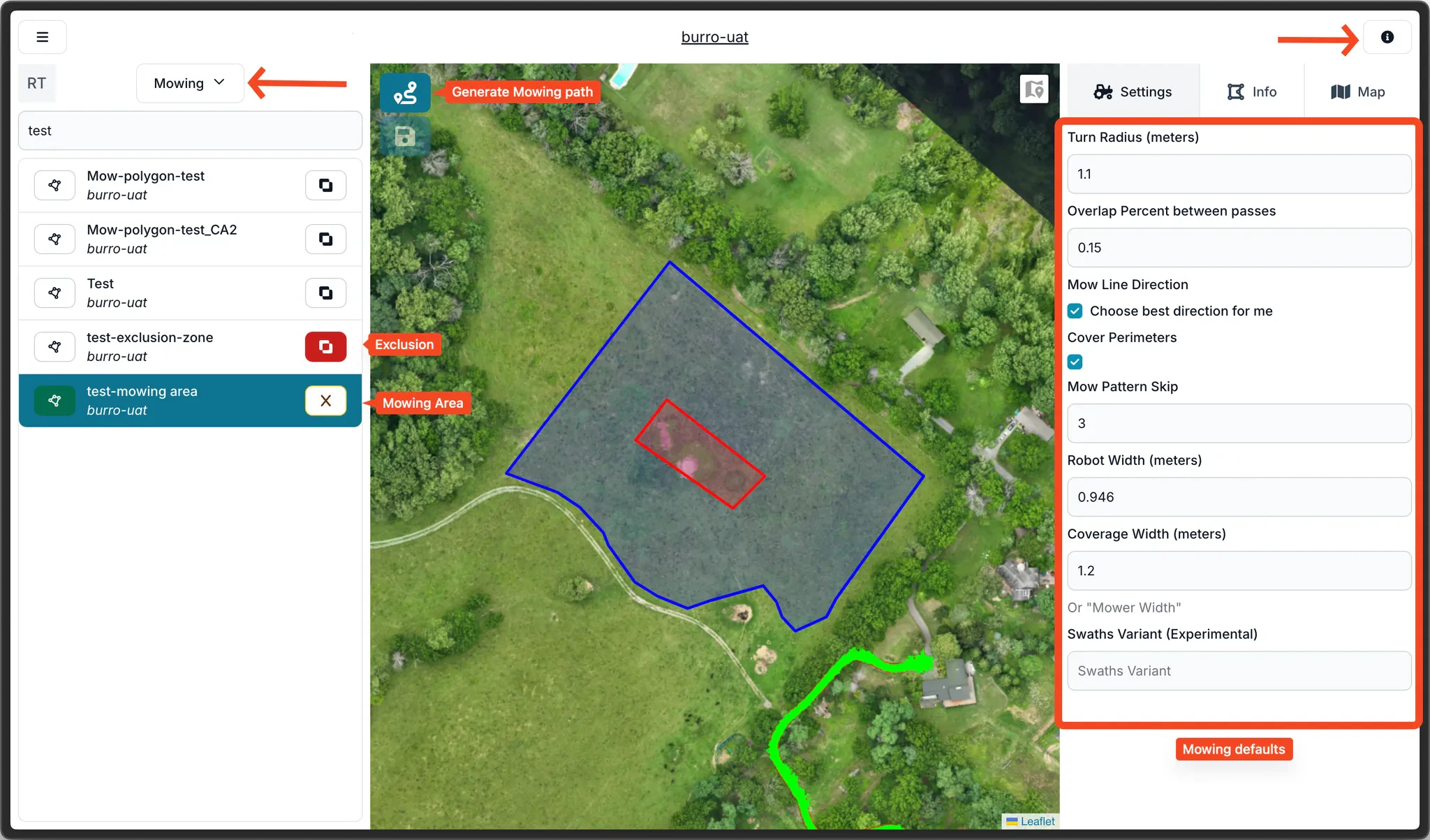
Access Mowing Settings
Use the info button on the top-right corner to access the mowing settings menu
if you’d like to tweak the settings. Avoid changing the default settings
unless needed.
Connect Routes in UI
From the on-robot UI, navigate to the mowing tab and connect the routes to and
from your mowing area. If they’re not present, you may use Atlas or teach them
using person follow.