Stations
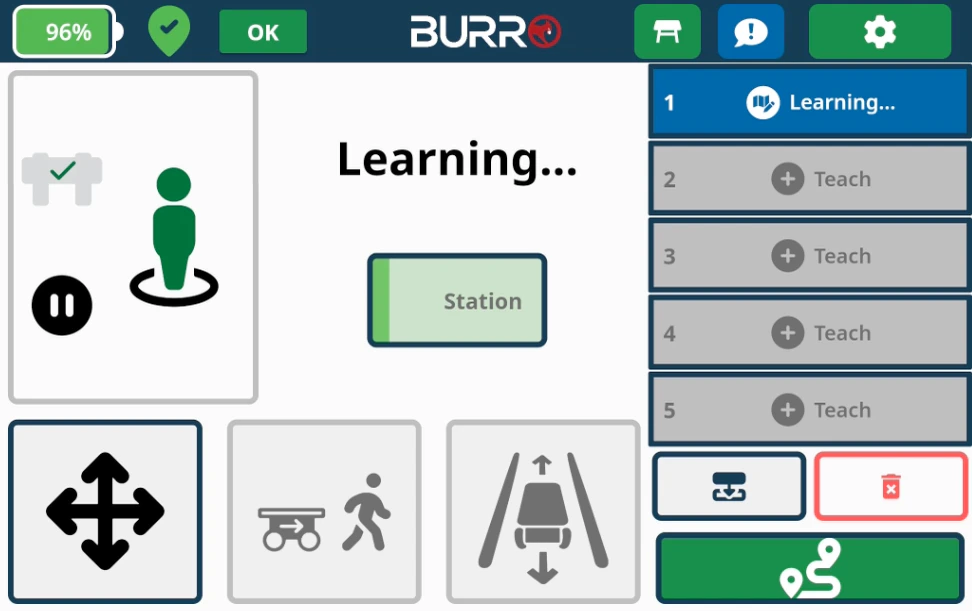
Programmable Pause Points
Set programmable pause points along the route while it is being trained. These
stations will activate in both directions.
Adjustable Stop/Dwell Time
The stop/dwell time for stations can be adjusted at any time in the settings
menu.
Next Route Button (Skip Symbol)
This feature allows the user to manually cycle to the next route in the list at any time without needing to return to the home location first.Edit Route Button (Pencil Symbol)
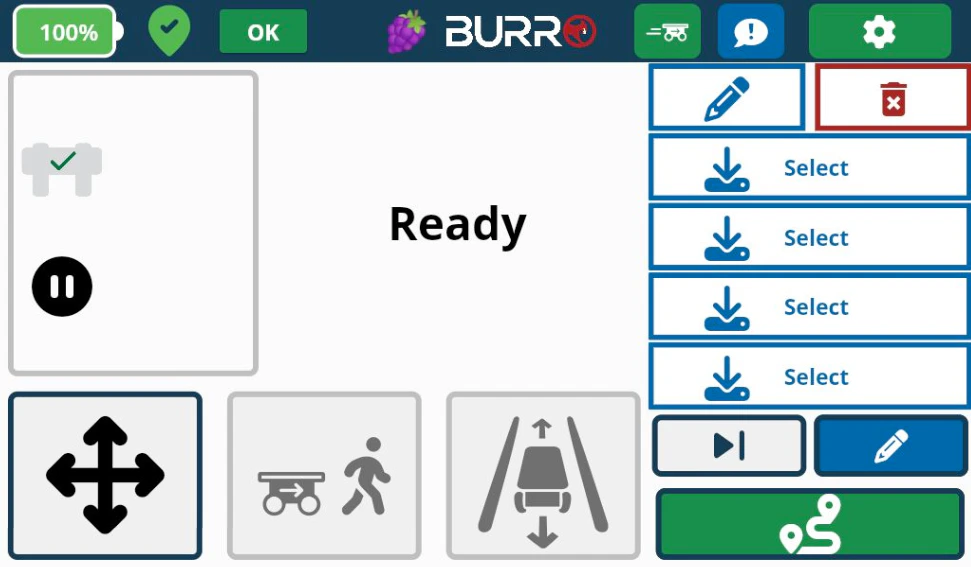
- Pressing this button opens a view that allows you to edit a route currently loaded on Burro.
- The following options are available in the pop-up menu:
Route Options
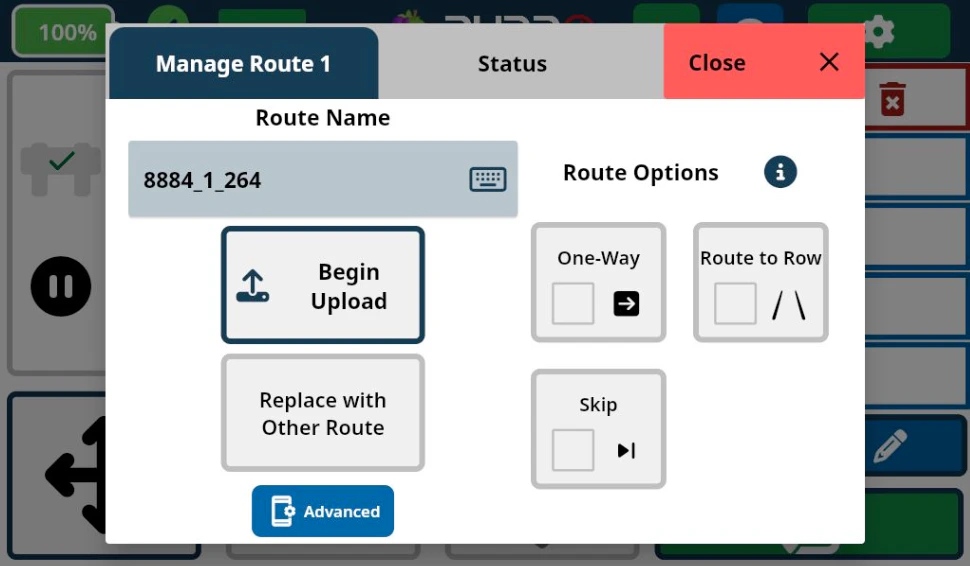
- One-Way: Check this option if Burro is towing or if you do not want Burro to retrace the route in the reverse direction after completing the route.
- Route to Row: Enable this option so that Burro knows to start RowNav after completing a route, typically at a row entrance.
- Skip: Burro will skip this route as it cycles through its loaded set of routes while running (useful for Guard Dog/Patrol mode).
- Delete Route: Use the red trash can icon to delete the selected route.
Additional Editing Options
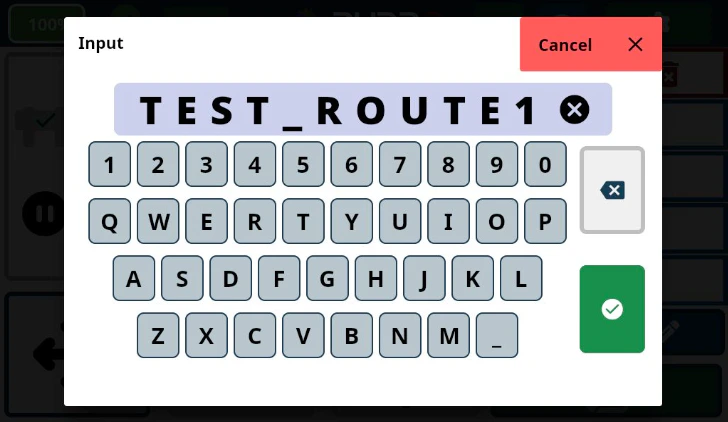
Route Name
Tap the box containing the route name to change it using the pop-up keyboard.
Begin Upload
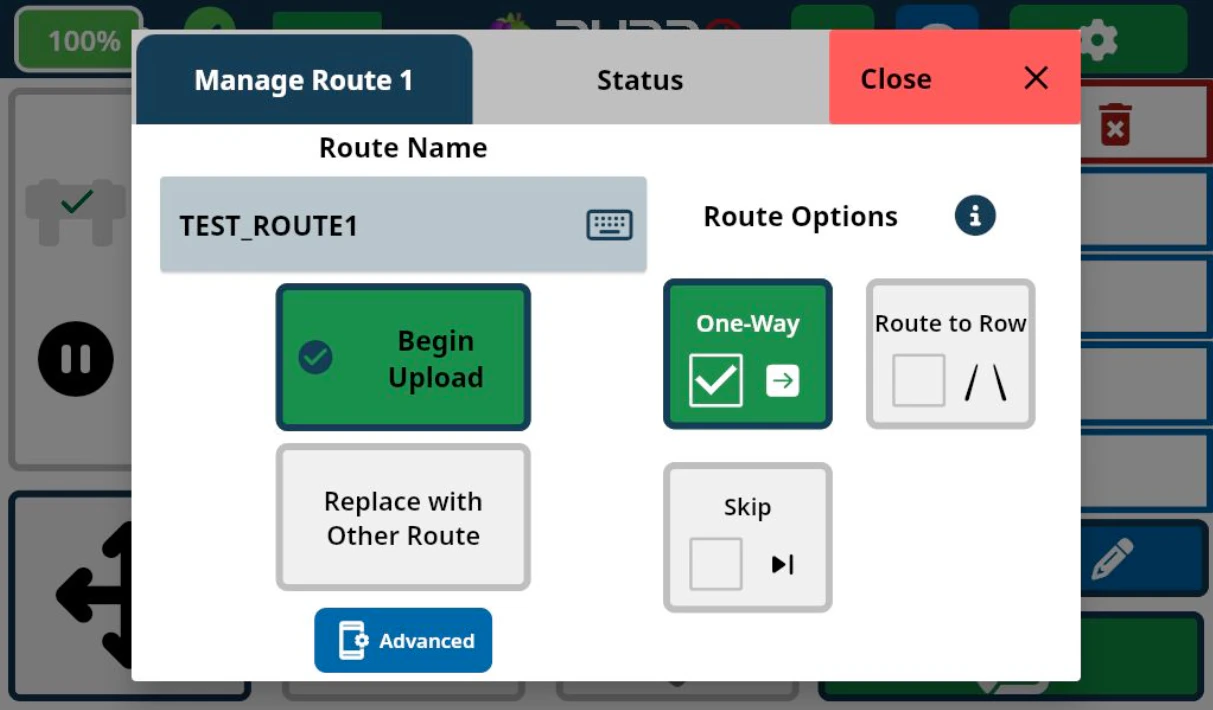
- There is no limit on how many routes you can save.
- Click on the “Status” tab to confirm that the operation “Push ‘ROUTE NAME’” was successful. This may take a moment depending on the quality of the internet connection.
- If the operation fails, try again using the “Begin Upload” button. If it continues to fail, report the issue and/or contact Burro Support.
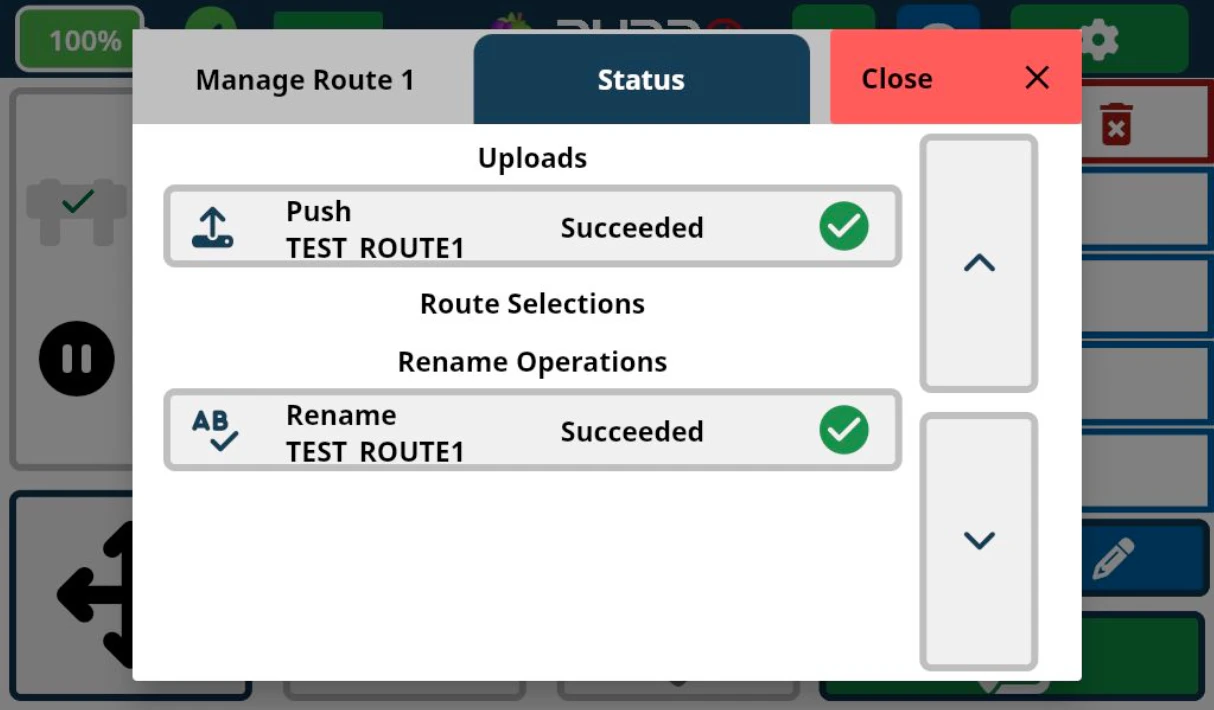
Ensure that your internet connection is stable during the upload process to
avoid interruptions.
Replacing Routes
Replace with Other Route
Replace the currently loaded route with another route from your cloud route
bank.
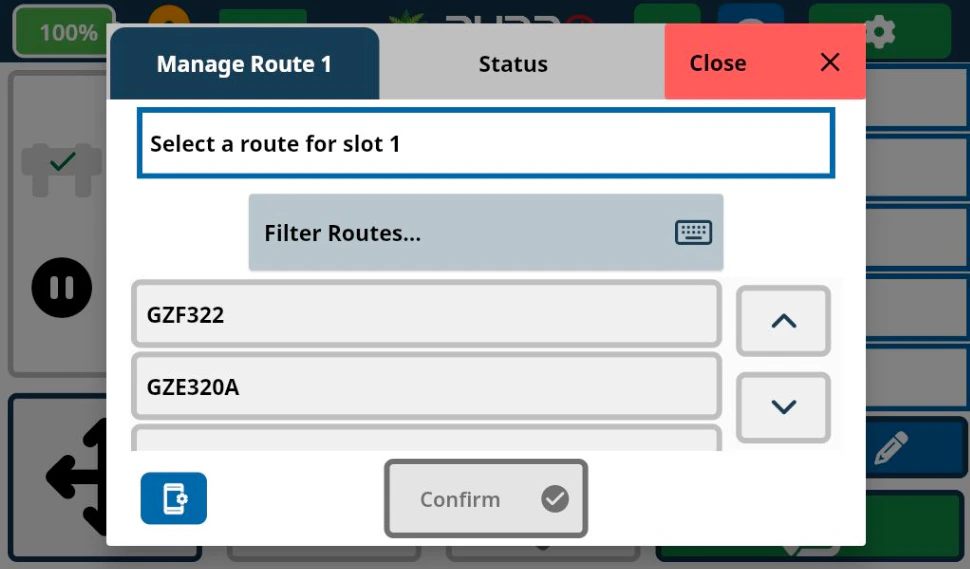
- Choose from a pre-selected list or filter your search by clicking on the “Filter Routes…” box.
- Once you find the desired route, click the Confirm box at the bottom of the pop-up menu.
- Use the “Status” tab to verify if the operation was successful.

- Alternatively, select an empty route slot to quickly download a route from your route bank on the cloud onto Burro.