Moving Burro in manual control
Touchscreen Controls
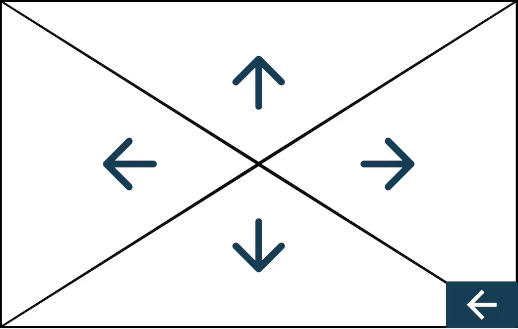
- Top Arrow: Moves Burro away from you.
- Bottom Arrow: Moves Burro toward you.
- Left Arrow: Rotates Burro clockwise in place.
- Right Arrow: Rotates Burro counterclockwise in place.
Button Box Controls:
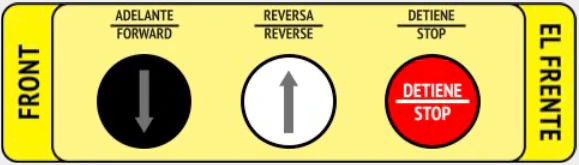
When loading or unloading Burro from a trailer, it is strongly advised to
utilize these buttons. This approach enables the user to operate Burro while
remaining at a safe distance, thereby reducing the potential for user error
during these operations.
Accessing Manual Control
The Manual Control screen can always be accessed from the main menu.- No matter which autonomous mode Burro is currently in, users can navigate to the Manual Control screen and utilize it without disrupting Burro’s autonomy or a trained route.
- Burro will continue to record its path if it is still in the “Teach” phase of training a route, making it useful for clearing a stop without forcing the route to end at that point.