Burro’s Person Follow feature allows it to autonomously track and follow a user, enhancing versatility in various operational scenarios. This section outlines the steps for initiating Forward Person Follow mode and switching to Reverse Person Follow mode when needed.

Forward Person Follow
Person Follow
1

Positioning

Stand directly in front of Burro’s cameras.
2

Activate Mode

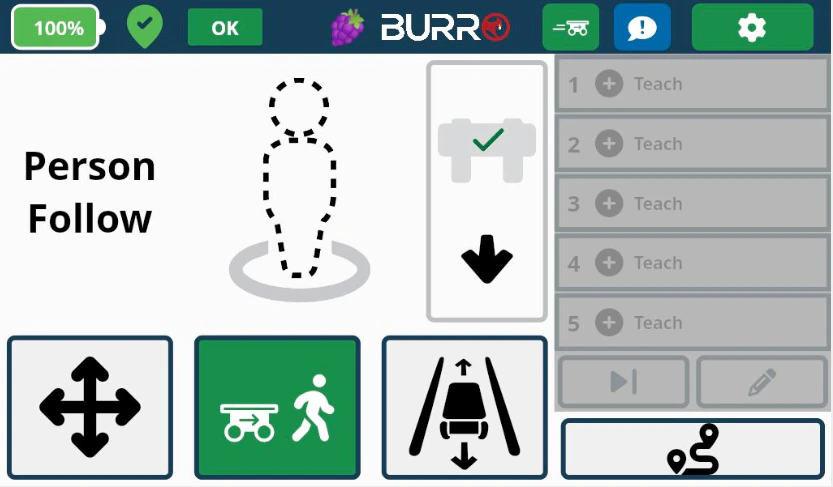
Press the middle button featuring the person icon with Burro following behind (refer to the image below). Person Follow - Locking
3

Locking On

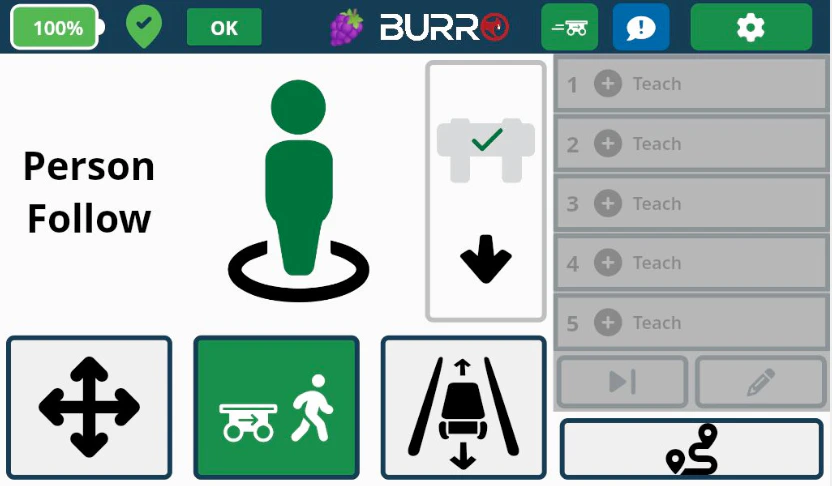
The person figure will appear dashed initially. Once Burro has successfully ‘locked onto’ you, the figure will turn solid green. Person Follow - Activate
4

Following

Burro will follow you wherever you walk, provided there are no obstacles in the way.

Reverse Person Follow

1

Switch to Reverse

While Burro is following you in Forward Person Follow mode, press the white Reverse (⬆) button on the button box.
2

Movement

As you walk toward Burro, it will move away from you, traveling in reverse (similar to backing up a trailer).
3

Revert to Forward Follow

To change back to Forward Person Follow, simply walk away from Burro, and it will start following you in the forward direction again.